Launching UK-wide soon

Run the neighbourhood.
Local style.

Connect with runners & friends who know their streets by heart. Discover cafés, cut-throughs, and hidden gems with locals. Be a tourist in your own city — run a new neighbourhood. Or curate your best runs and share them with old friends and new.

Why Parugu

Tourists see cities. Runners know neighbourhoods.

Don't follow heatmaps. Run with locals.

See it. Share it. Run it. With someone who's from there.

Other apps are for sharing runs you've done. Parugu is for sharing the run itself.

Our Story

Parugu came from three small moments. Long solo runs I wished I had company for. New cities where I scrolled heatmaps and maps but wished for a local to run with. Friends visiting, who I took on a run through my neighbourhood — who always loved it. Parugu solves for all three needs. (Including a private friend mode, for when you just want to run with people you already know.)

Read the full story →

Our Mission

Make it effortless for any runner to explore a new neighbourhood — with someone who knows it by heart.

Our Team

A small crew of runners, travellers, and tech builders based in London. We test every feature on our own morning runs — if we wouldn't use it, it doesn't ship.

Meet the full team →
How it works

Four steps. Your pace.

From browse to finish line — the whole flow lives in the app.
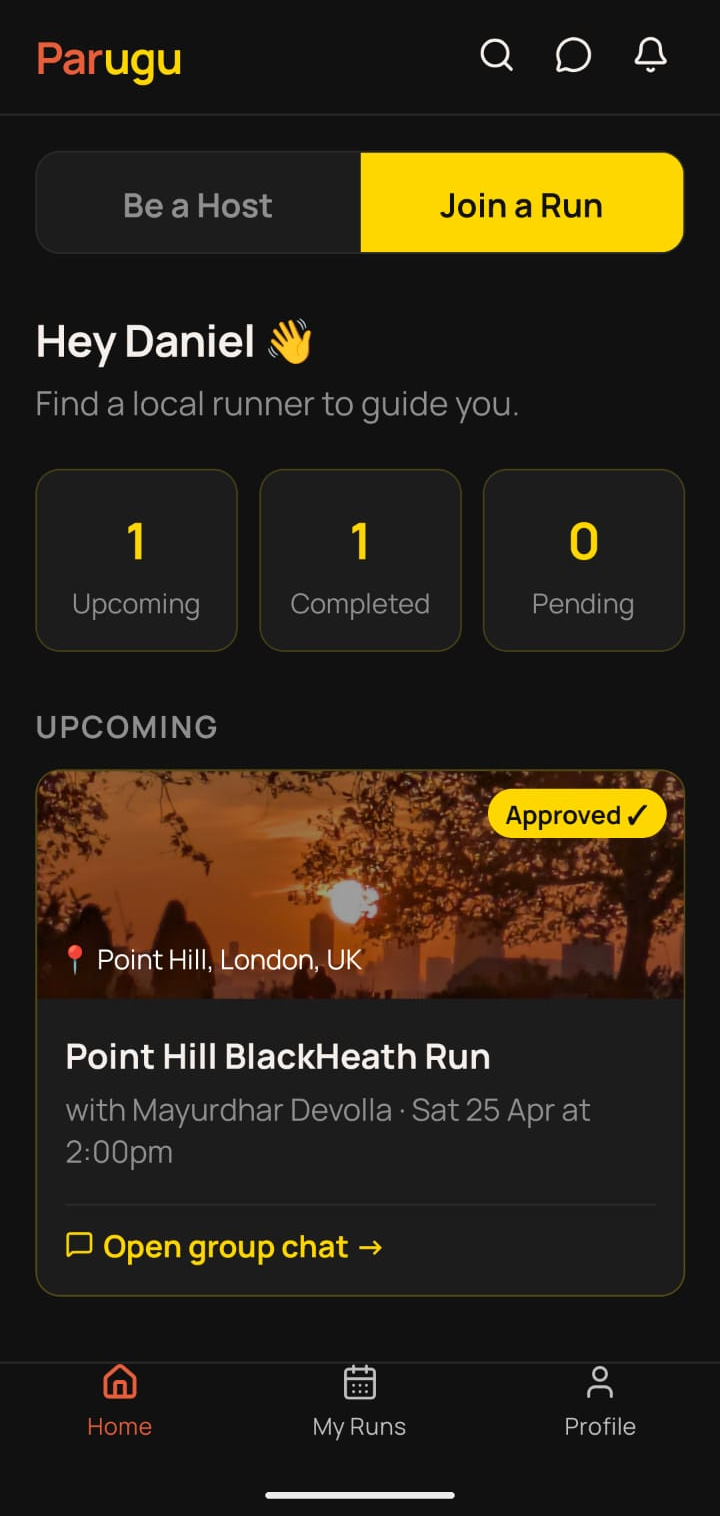
Browse runs feed
1

Discover

Browse runs near you by pace, price, and time. Read host profiles and reviews.
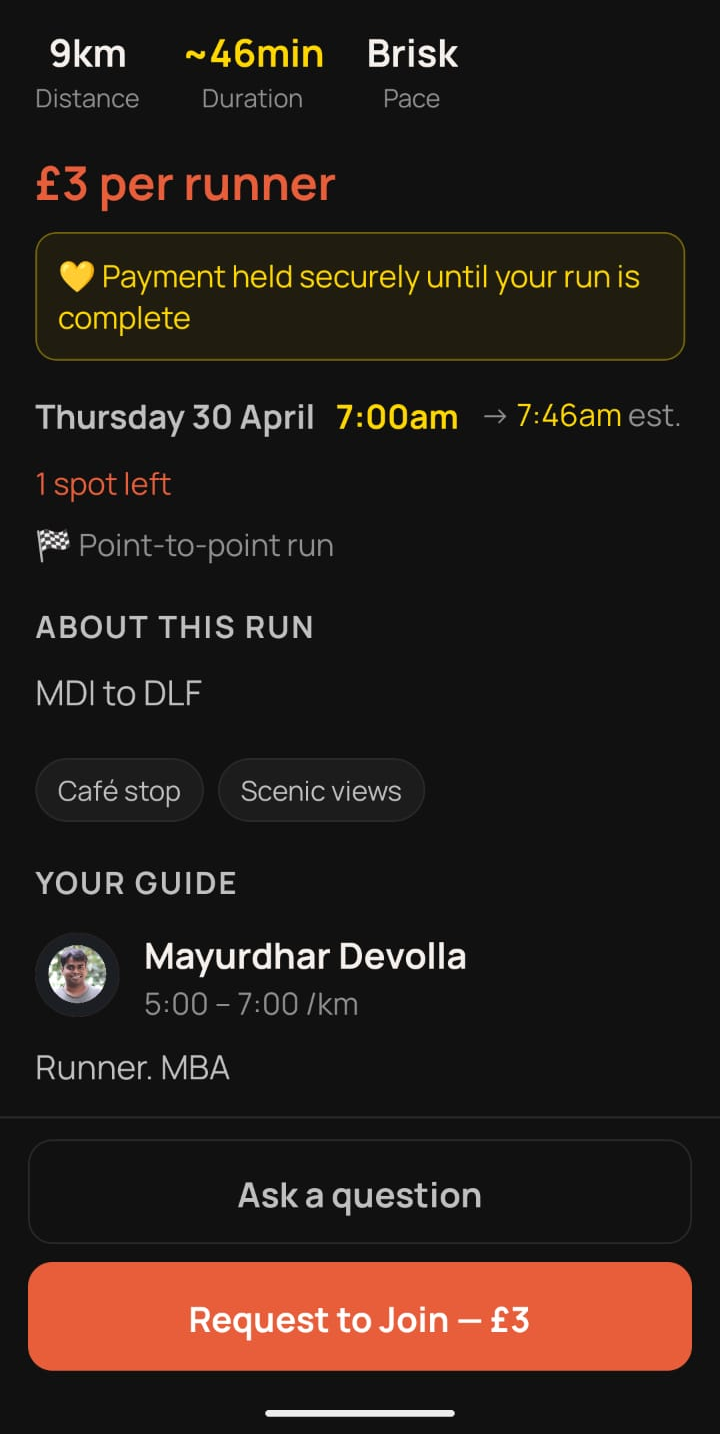
Book and pay screen
2

Book & Pay

Request to join with one tap. Pay securely — funds held until the run completes.
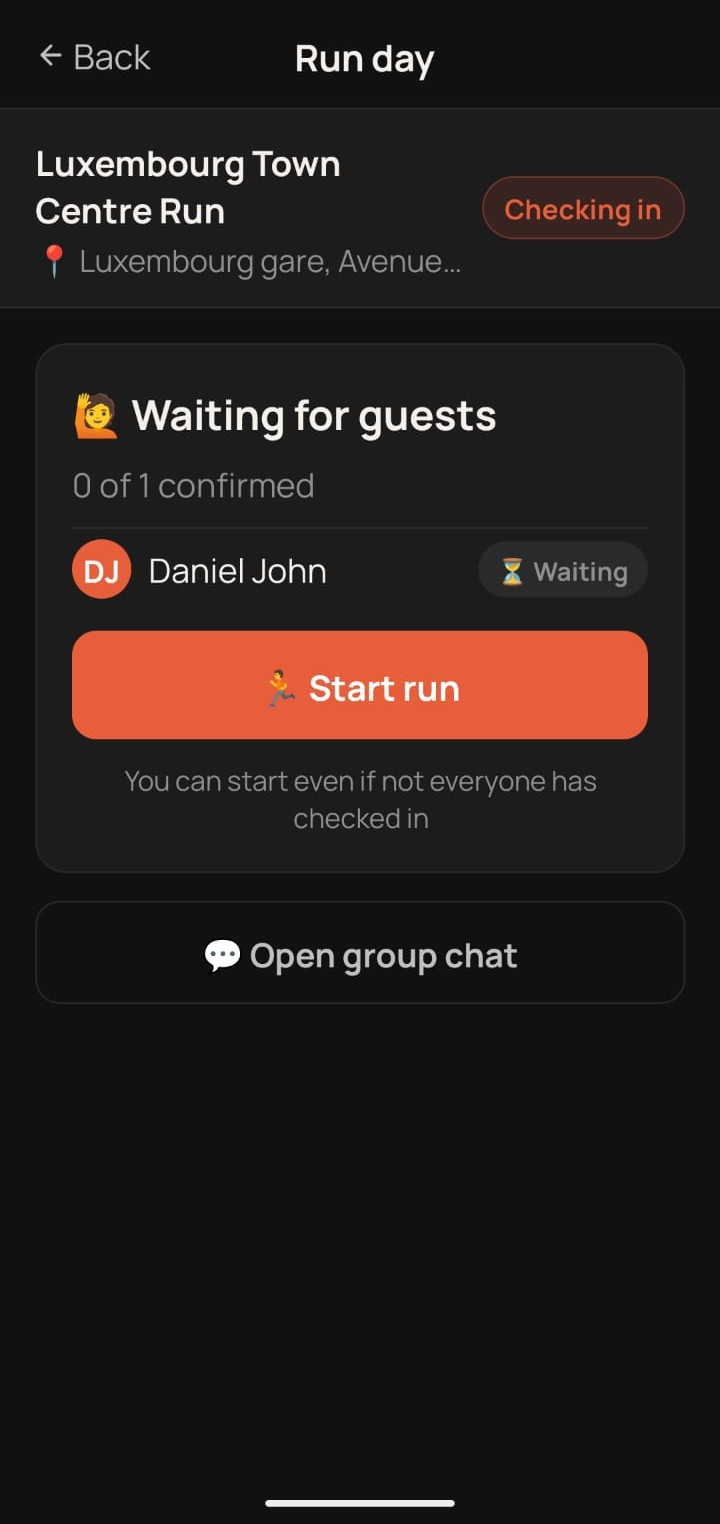
Meet and run check-in
3

Meet & Run

Both tap "I'm here" to start. Follow your host through routes only locals know.
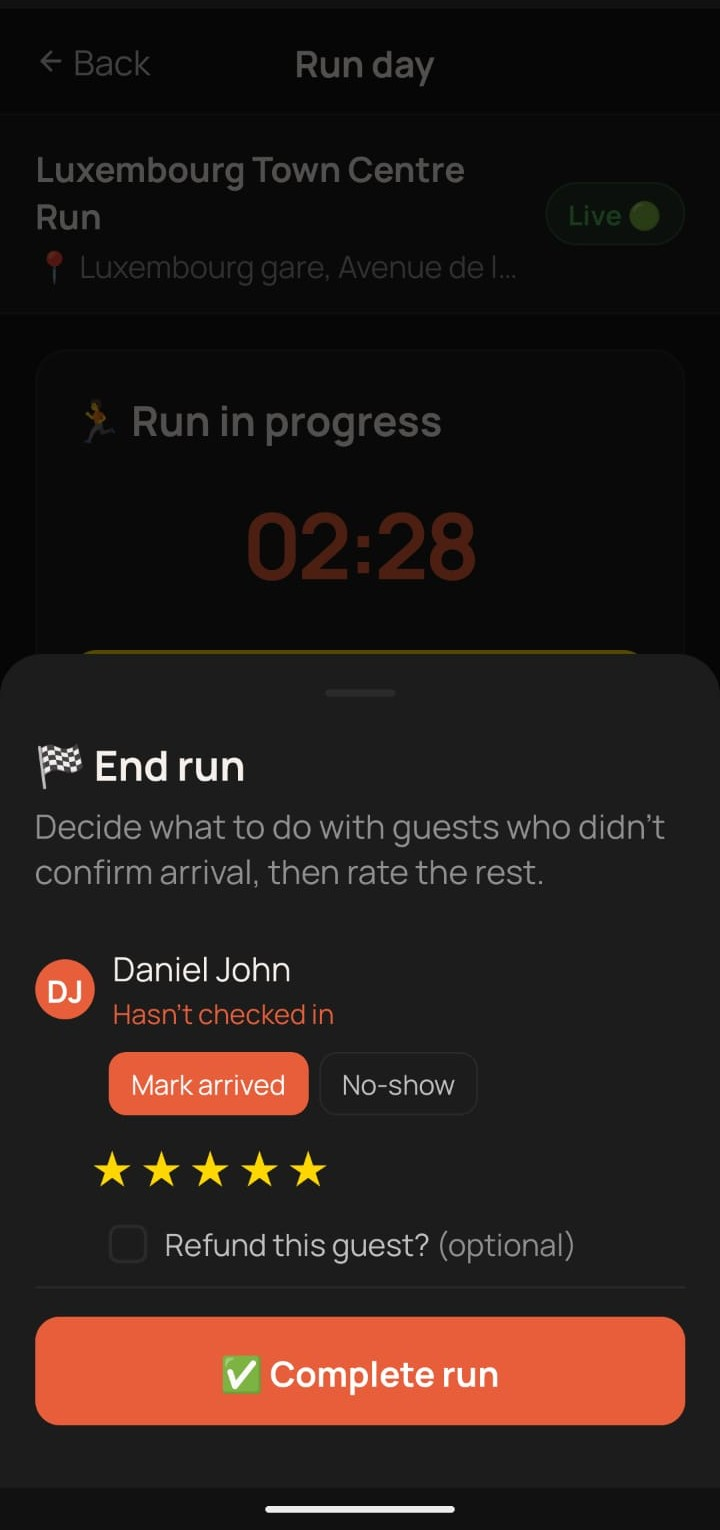
Rate your host
4

Rate

Run ends — rate your host. Payment releases once you're both done.
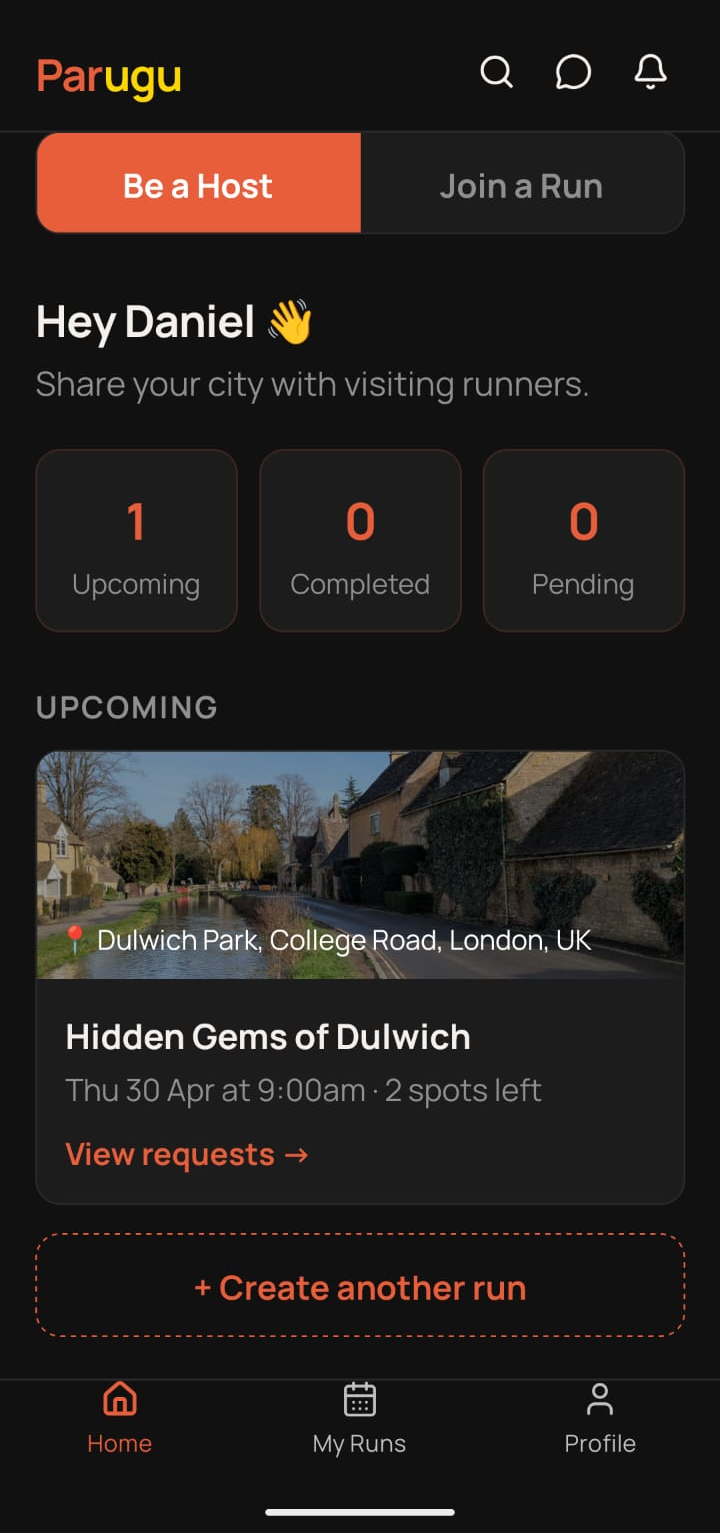
Your neighbourhood · host a run

You're already running. Share it with someone new.

Share the routes you already know. Meet runners from around the world, show them the streets you love — and earn a little on the side while you're at it.

  • Set your own pace, route, and price
  • Review every request — decide who joins
  • Stripe-secured payouts — money lands after the run
Become a Host
Host dashboard
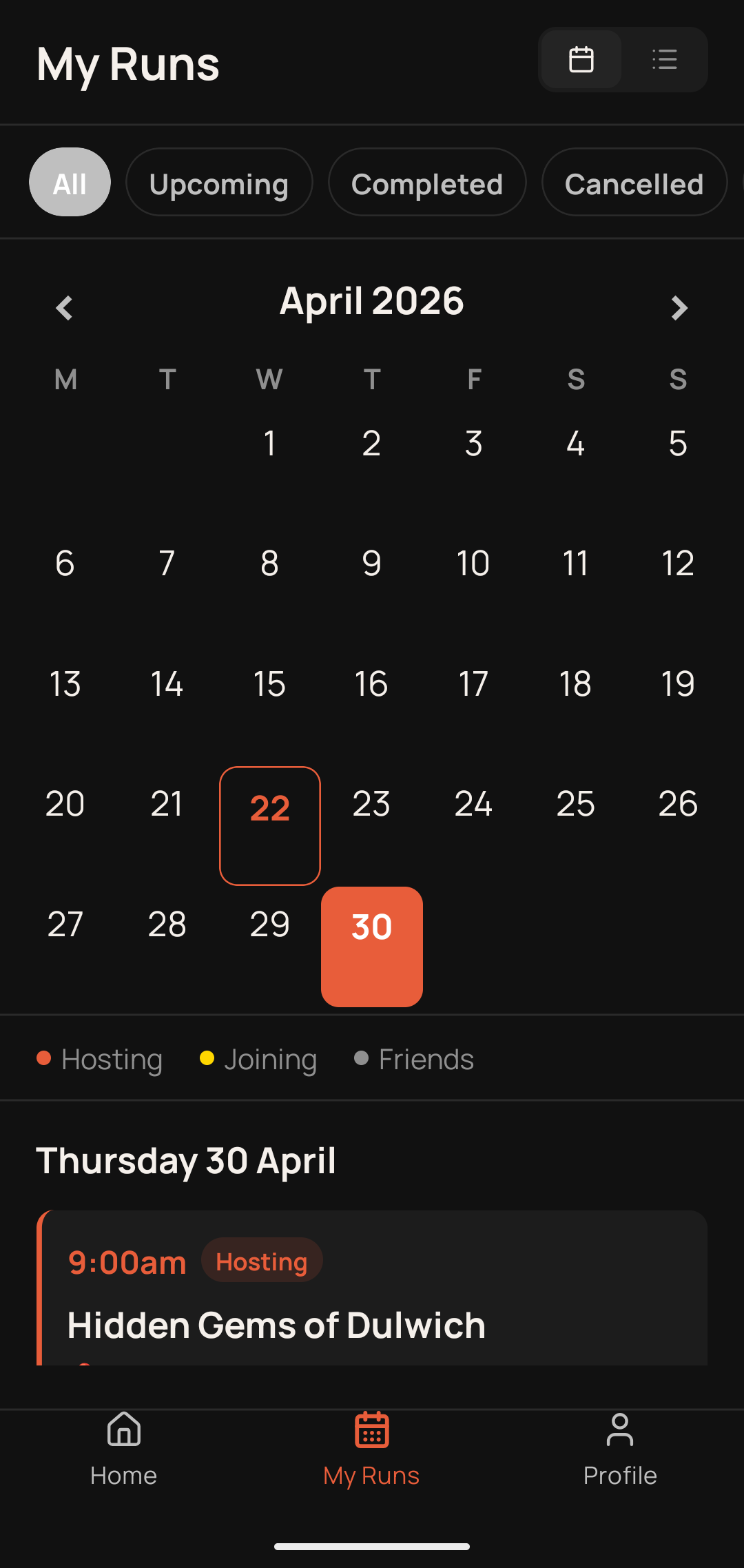
Host calendar view
A new neighbourhood · join a run

Skip the hotel loop. Run with locals.

See a new city the way residents actually move through it. No tourist routes, no 2km around the block — just real streets, with someone who runs them every day.

  • Runs matched to your pace, distance & interests
  • Book a £5–15 run in 30 seconds — pay securely, money held until done
  • Cancel early? Get 90% back — no drama, no hassle
Find a Run
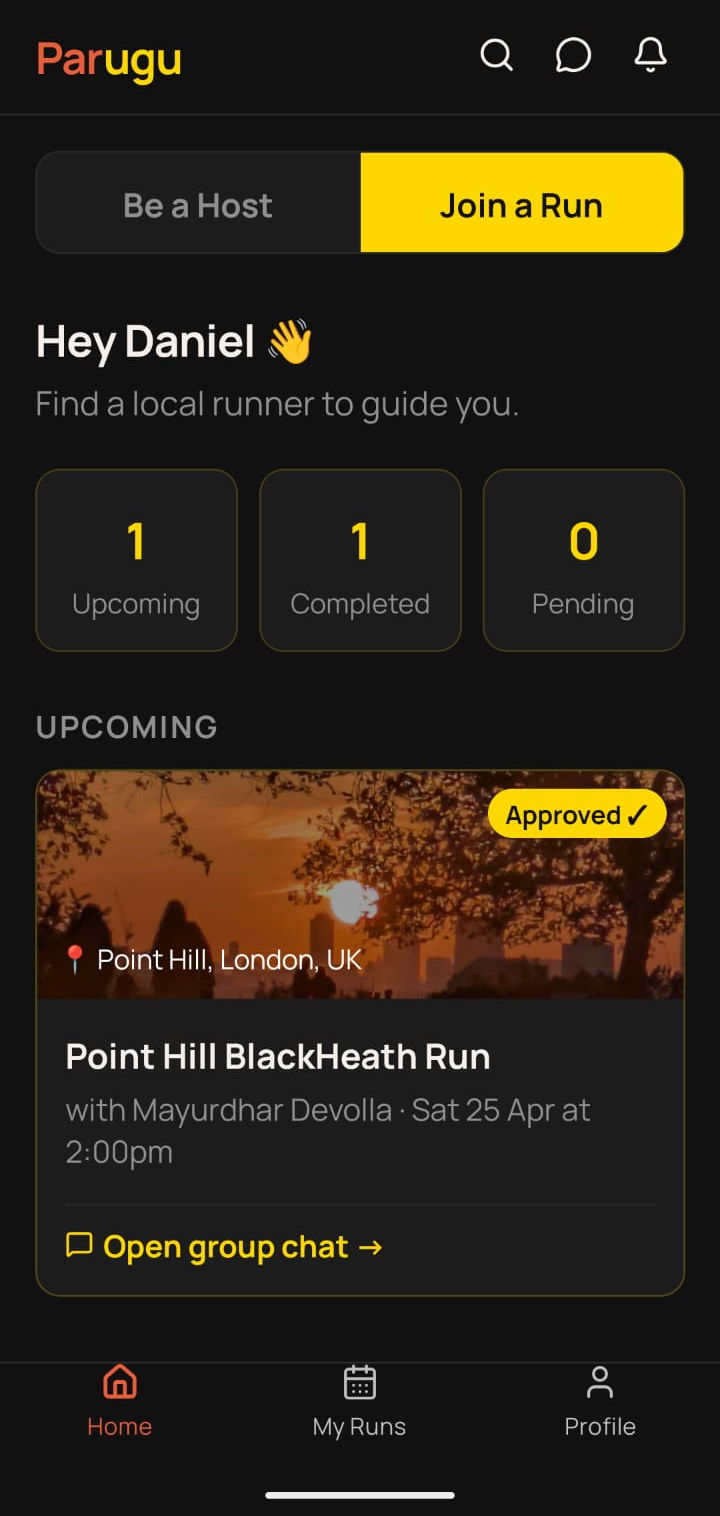
Guest dashboard
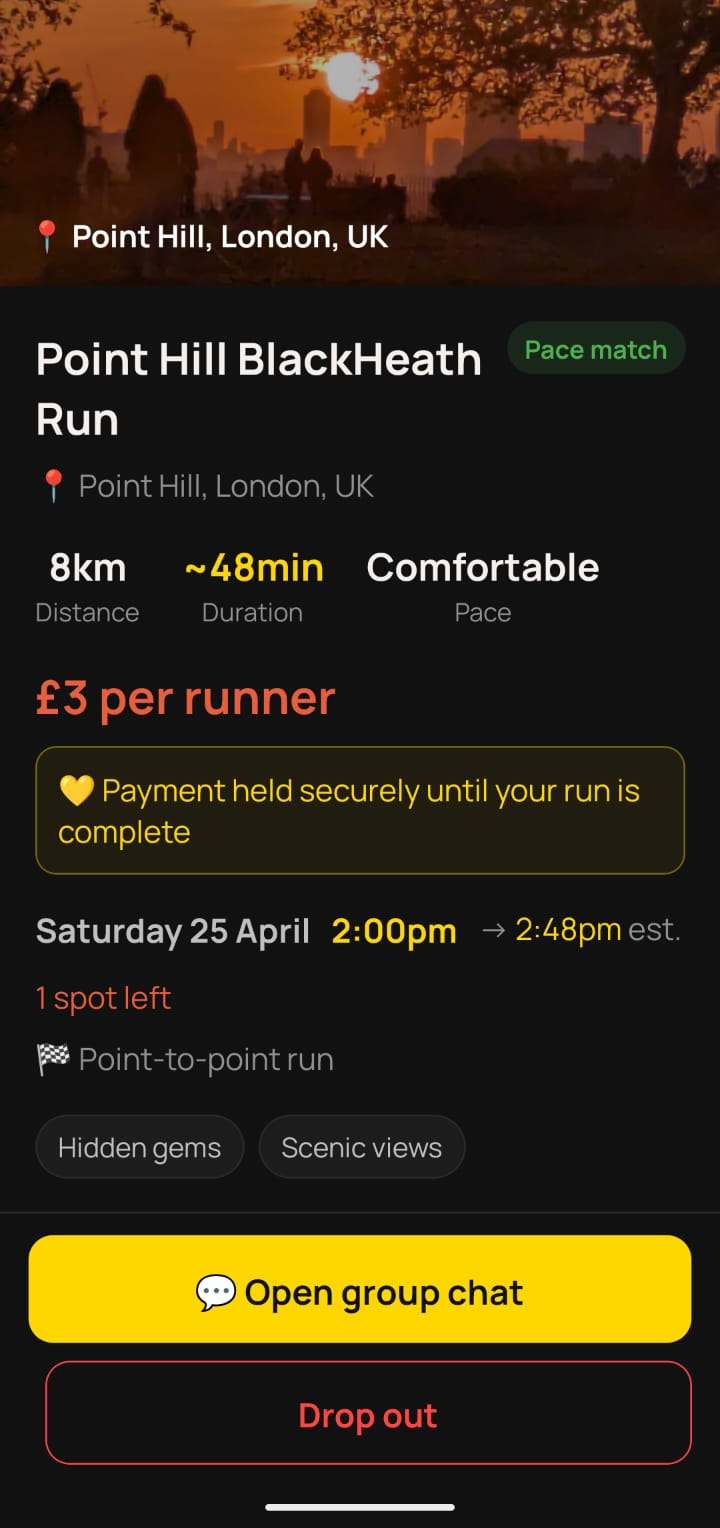
Run detail and host profile
Runner stories

What runners say.

Real quotes coming soon — we're rolling out with our launch hosts now.

★★★★★

"[Guest quote — a real moment from a run, what they saw, how the city felt at 6am with a local.]"

[Guest Name]
Runner · [City]
★★★★★

"[Host quote — what it's like to show someone your city, how much they've earned, who they've met.]"

[Host Name]
Local Runner · London
★★★★★

"[Guest quote — about safety, discovery, or the unexpected coffee spot at the end.]"

[Guest Name]
Runner · [City]
FAQ

Common questions.

The things most people want to know before their first Parugu run.

How do I host a run? +

Hosting takes about five minutes to set up. Here's how:

  1. Sign up and verify your email.
  2. Build your host profile — your pace, weekly mileage, a short bio, and a photo. This is what runners see when deciding whether to join your run.
  3. Create a run — pick the location, time, route, pace band, price, and a few highlights (scenic views, café stops, hidden parks). You set everything.
  4. Review requests when runners ask to join. Accept or decline — you decide who runs with you.
  5. Run day — meet at your pickup spot, both tap "I'm here", run, and enjoy showing someone your streets.

You're not committing to a schedule or quota. Host when you want, rest when you don't.

How do I join a run? +

Joining is faster than booking a restaurant:

  1. Sign up and set your pace, distance range, and what you're looking for.
  2. Browse runs in the city you're visiting — pan the map, or filter by pace match, time, price, or neighbourhood.
  3. Request to join the run that fits. Your card is authorised at this point but not charged — payment only goes through when the host accepts.
  4. Wait for confirmation — hosts typically respond within a few hours. Chat with them in-app if you have questions.
  5. Run day — show up, tap "I'm here" to check in, run, then rate your host.

No membership, no subscriptions. Pay per run, and only if the host confirms.

How do I get paid as a host? +

Parugu uses Stripe Connect to handle all payments — the same infrastructure used by companies like Shopify, Lyft, and Deliveroo. To get paid, you'll need:

  1. A UK bank account (Parugu is UK-only at launch).
  2. Stripe onboarding — Stripe will ask for your name, date of birth, address, and a photo of your ID. Takes about 5 minutes.
  3. To be 18 or older.

When a guest books your run, the payment is held securely in Stripe. After the run is marked complete, funds are released — typically landing in your bank account within 2–3 working days.

No platform fee on completed runs today — you receive the full run price. Parugu absorbs Stripe's processing fee so a £10 run pays you £10. If that ever changes, you'll get 30 days' notice.

What happens if a run is cancelled or someone no-shows? +

Life happens. Here's how we handle every scenario:

Scenario What happens
Host cancels or declines Guest gets a full refund. No fees charged.
Guest cancels more than 12 hours before Guest gets 90% refund. A 10% admin fee is kept to cover processing and platform costs.
Guest cancels within 12 hours No refund — host has likely already planned their day. 100% goes to the host.
Host no-shows Guest reports it in-app and gets a full refund. If the host never shows or never marks the run complete, it auto-expires after 30 minutes and refunds are issued automatically. Repeated no-shows affect the host's account standing.
Guest no-shows Host reports it in-app. Host keeps the full fee. Guest's account is flagged.
Both show, run completes Payment releases to host after the run is marked complete. Both sides rate each other.

Every cancellation, refund, and no-show is handled inside the app — no emails, no support tickets, no waiting.

Is Parugu safe? +

Safety is a design principle, not an afterthought. Here's what's built into every Parugu run:

  1. Share your run details before you go. Send your host's profile, route, pickup location, and start time to a family member or friend — straight from the app, in a tap. So someone always knows where you are and who you're with.
  2. Every paid host is Stripe ID-verified. Hosts of paid runs go through Stripe identity verification to get paid — they can't operate anonymously. All hosts also verify their email at signup.
  3. Ratings both ways. Hosts rate guests, guests rate hosts. Bad actors get filtered out of the community fast.
  4. Two-way check-in. Both sides tap "I'm here" at the pickup spot before the run starts. No ghost pickups.
  5. In-app chat. All communication stays in Parugu before, during, and after the run — so there's a record if anything goes wrong.
  6. Payment held in escrow. Hosts only get paid after the run completes — so there's no incentive to accept a booking and not show up.

We run Parugu ourselves, in our own neighbourhoods. If we wouldn't use it to run with a stranger, we wouldn't ship it.

Your next run.
Somewhere new.

Parugu launches UK-wide soon, starting with London and rolling out across more cities fast. Join the waitlist and we'll email you the moment Parugu is live in your city.

You're on the list 🎉

We'll email you the moment Parugu is live in your city. See you at first light.

You're already on the list 👍

Good news — we already have you. We'll email you the moment Parugu is live.

No spam. A quick note to confirm, then one email at launch and only occasionally after.

Tourists follow maps.
Runners follow Parugu.

Parugu it.